 MotionForge
Motion graphics,
native to your Mac.
MotionForge is a fast, native animation and compositing app for Apple silicon — keyframes, text animators, video footage, 3D cameras, rotoscoping, effects and hardware-encoded export, built on Metal. With After Effects shortcuts, Claude built in and live editing with friends.
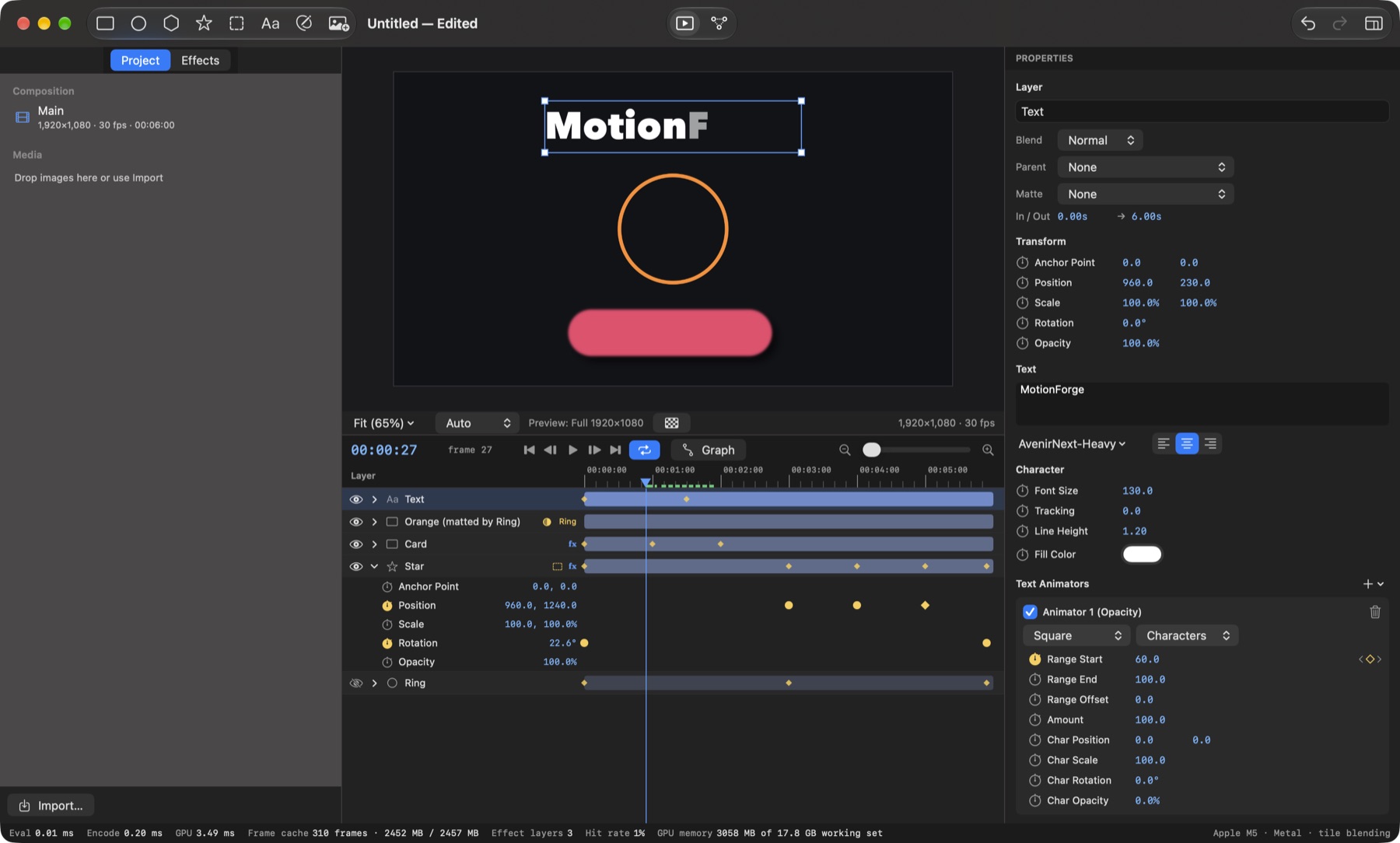
Everything a motion piece needs
Built from the ground up for the GPU in your Mac, so previews play in real time and exports use the hardware encoders.
Layers that move
Shapes, images, video footage, text, pen-tool paths, nulls and parenting, precomps with time remapping.
3D and cameras
A 3D switch on any layer, animated cameras with real perspective, and a custom view to orbit the scene.
Rotoscoping
Keyframe a mask's outline frame by frame, or let Roto Brush find the subject in every frame and follow it.
Animation tools
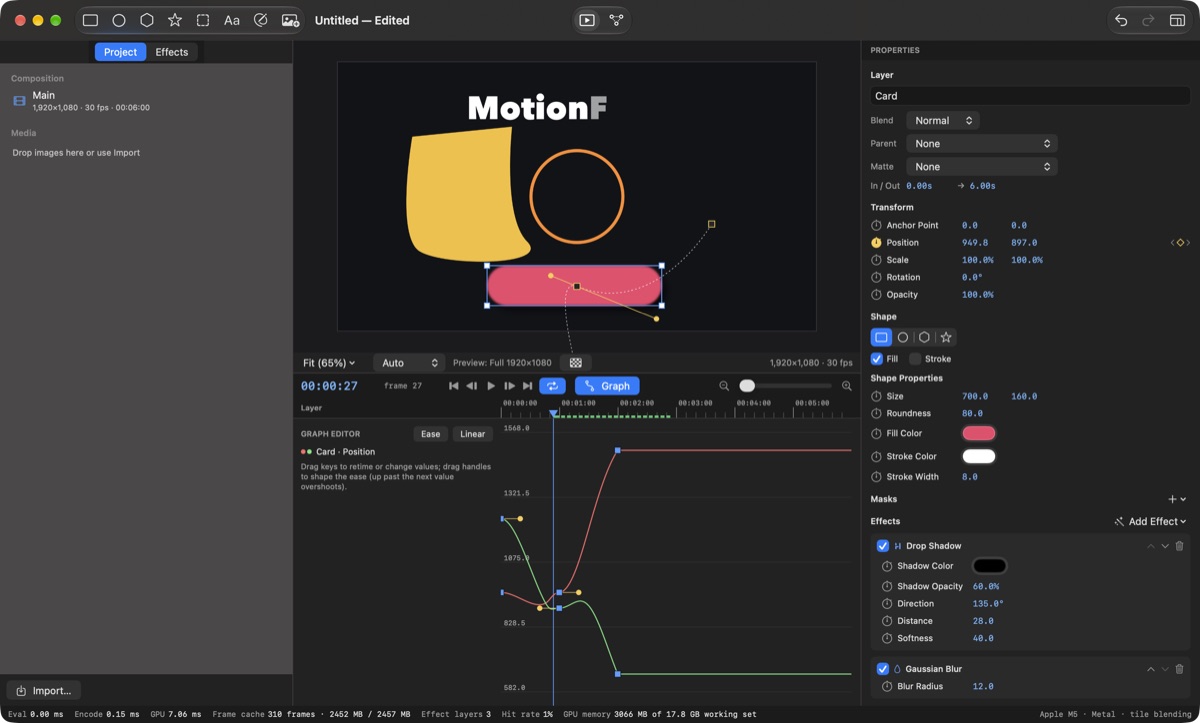
Keyframes with easing, bezier motion paths, a graph editor with speed handles and ready-made presets.
Text animators
Animate characters, words or lines — typewriters, staggers and pop-ins with range selectors.
Effects and mattes
GPU blur, glow, drop shadow and colour; masks, track mattes, blend modes and motion blur.
Audio
Voice-overs and music on the timeline with waveforms and animatable levels, mixed into every export.
Export
H.264, HEVC, ProRes 422 / 4444 with alpha or PNG sequences, rendered in the background while you keep working.
Claude and collaboration
Ask Claude to build or change an animation, or invite friends and edit the same project together, live.
Feels like After Effects
The same keyboard shortcuts and tools, a work area and RAM preview, split, pre-compose and trim.
Any footage
MOV, MP4 and other video with sound; HEIC, WebP, PSD, EXR, camera RAW, SVG and every image format macOS reads.
Precise when you need it
Shape every move in the graph editor, scrub any value, and see exactly what the renderer is doing — GPU time, frame cache and preview resolution are always on screen.
Pricing
Edit, preview and save for free. Every new account gets 1 week of Pro free — after that, MotionForge Pro adds exporting. Payments by Razorpay (UPI autopay or card); cancel any time.
Free
- Every editing tool
- Real-time preview
- Save and open projects
Pro · Monthly
- Everything in Free
- Export video and image sequences
- Audio in exports
- Live collaboration with friends
Pro · Yearly
- Everything in Pro Monthly
- Billed once a year